Expanding Controls
expand#
When a child control is placed into a Row, Column, View
or Page you can "expand" it to fill the available space.
When adding child controls to a Row, you can make them automatically
grow to fill available horizontal space using the expand property,
which all Flet controls (inheriting from Control) have.
It lets you control how they use free space inside a
layout like Row or Column.
You can set expand to one of the following values:
- a boolean — Whether the control should take all the available space.
- an integer — Used to proportionally divide free space among multiple expanding controls (useful when you want more control over sizing).
Example 1#
In this example, a TextField stretches to fill all remaining space in the row,
while the Button stays sized to its content:
import flet as ft


def main(page: ft.Page):
    page.add(
        ft.Container(
            width=480,
            padding=10,
            border=ft.Border.all(2, ft.Colors.BLUE_GREY_200),
            border_radius=10,
            content=ft.Row(
                controls=[
                    ft.TextField(hint_text="Enter your name", expand=True),
                    ft.Button("Join chat"),
                ]
            ),
        )
    )


if __name__ == "__main__":
    ft.run(main)

Example 2#
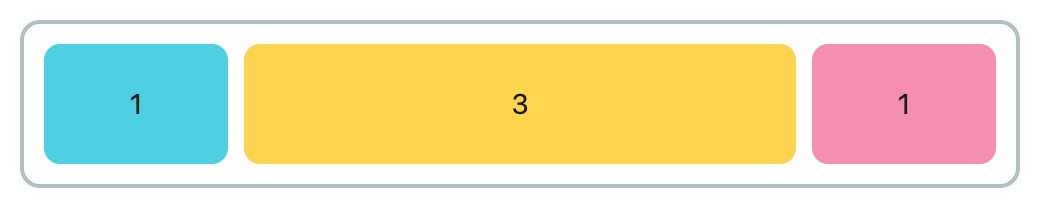
In this example, we create a Row with three Containers, distributed like 20% / 60% / 20%:
import flet as ft


def main(page: ft.Page):
    page.add(
        ft.Container(
            width=500,
            padding=10,
            border=ft.Border.all(2, ft.Colors.BLUE_GREY_200),
            border_radius=10,
            content=ft.Row(
                spacing=8,
                controls=[
                    ft.Container(
                        expand=1,
                        height=60,
                        bgcolor=ft.Colors.CYAN_300,
                        alignment=ft.Alignment.CENTER,
                        border_radius=8,
                        content=ft.Text("1"),
                    ),
                    ft.Container(
                        expand=3,
                        height=60,
                        bgcolor=ft.Colors.AMBER_300,
                        alignment=ft.Alignment.CENTER,
                        border_radius=8,
                        content=ft.Text("3"),
                    ),
                    ft.Container(
                        expand=1,
                        height=60,
                        bgcolor=ft.Colors.PINK_200,
                        alignment=ft.Alignment.CENTER,
                        border_radius=8,
                        content=ft.Text("1"),
                    ),
                ],
            ),
        )
    )


if __name__ == "__main__":
    ft.run(main)
Here, the available space is split into 5 total parts (1+3+1). The first and third containers get 1 part each (20%), and the middle one gets 3 parts (60%).
Example 3#
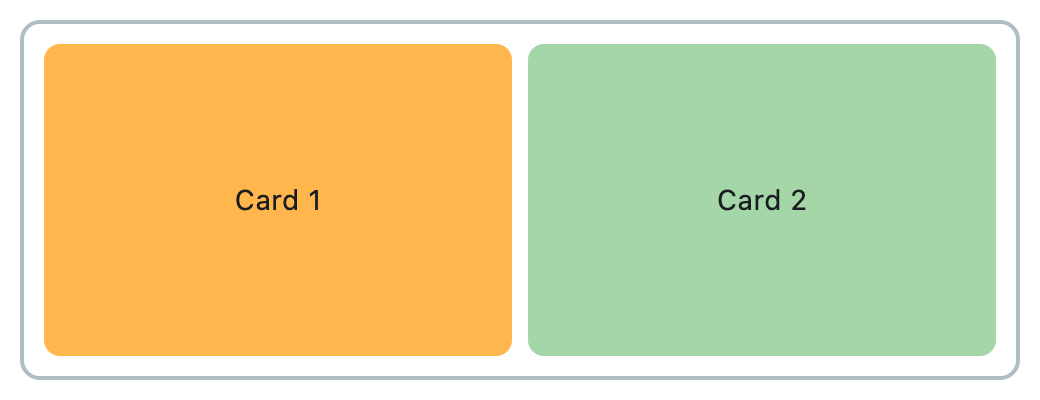
This example demonstrates how two controls inside a Row can
each expand to fill half of the available horizontal space using expand=True.
The layout uses a parent Container and a nested row, where both controls are
expanded equally, resulting in a 50/50 split.
import flet as ft


def main(page: ft.Page):
    page.add(
        ft.Container(
            width=500,
            height=180,
            padding=10,
            border=ft.Border.all(2, ft.Colors.BLUE_GREY_200),
            border_radius=10,
            content=ft.Row(
                spacing=8,
                controls=[
                    ft.Container(
                        expand=True,
                        bgcolor=ft.Colors.ORANGE_300,
                        border_radius=8,
                        alignment=ft.Alignment.CENTER,
                        content=ft.Text("Card 1"),
                    ),
                    ft.Container(
                        expand=True,
                        bgcolor=ft.Colors.GREEN_200,
                        border_radius=8,
                        alignment=ft.Alignment.CENTER,
                        content=ft.Text("Card 2"),
                    ),
                ],
            ),
        )
    )


if __name__ == "__main__":
    ft.run(main)
expand_loose#
The expand_loose property allows a control to optionally expand
and fill the available space along the main axis of its parent container
(e.g., horizontally in a Row, or vertically in a Column).
Unlike expand, which forces the control to occupy all available space,
expand_loose gives the control flexibility to grow if needed, but it’s not required to fill the space.
Note
For this property to have effect:
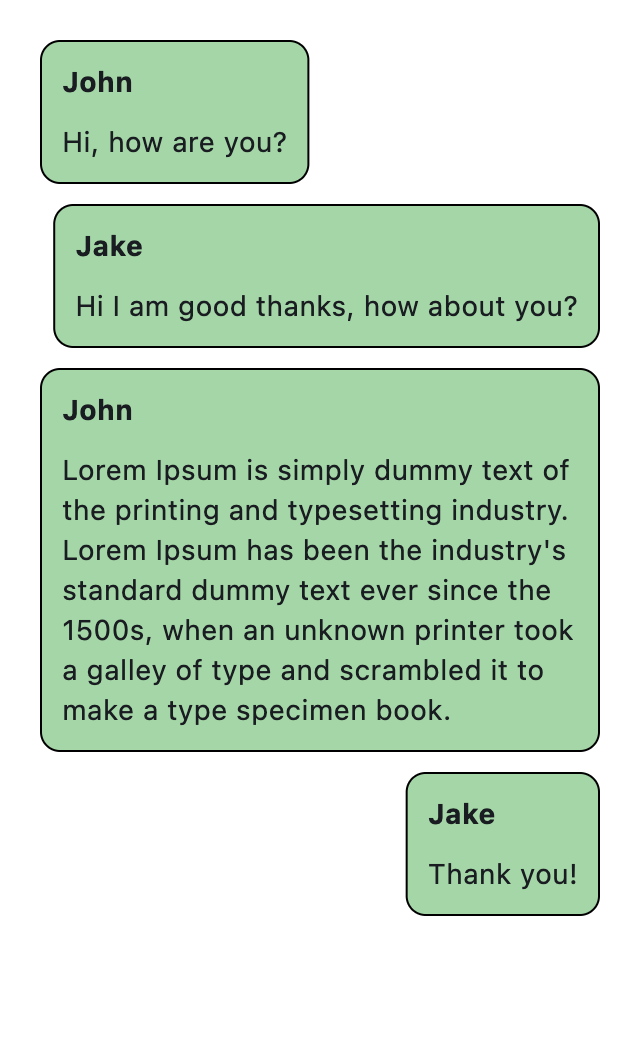
Example 1#
In this example, Containers being placed in Rows with expand_loose = True:
from dataclasses import field

import flet as ft


@ft.control
class Message(ft.Container):
    author: str = ""
    body: str = ""
    border: ft.Border = field(default_factory=lambda: ft.Border.all(1, ft.Colors.BLACK))
    border_radius: ft.BorderRadius = field(
        default_factory=lambda: ft.BorderRadius.all(10)
    )
    bgcolor: ft.Colors = ft.Colors.GREEN_200
    padding: ft.PaddingValue = 10
    expand: bool = True
    expand_loose: bool = True

    def init(self):
        self.content = ft.Column(
            controls=[
                ft.Text(self.author, weight=ft.FontWeight.BOLD),
                ft.Text(self.body),
            ],
        )


def main(page: ft.Page):
    chat = ft.ListView(
        padding=10,
        spacing=10,
        controls=[
            ft.Row(
                alignment=ft.MainAxisAlignment.START,
                controls=[
                    Message(
                        author="John",
                        body="Hi, how are you?",
                    ),
                ],
            ),
            ft.Row(
                alignment=ft.MainAxisAlignment.END,
                controls=[
                    Message(
                        author="Jake",
                        body="Hi I am good thanks, how about you?",
                    ),
                ],
            ),
            ft.Row(
                alignment=ft.MainAxisAlignment.START,
                controls=[
                    Message(
                        author="John",
                        body=(
                            "Lorem Ipsum is simply dummy text of the printing and "
                            "typesetting industry. Lorem Ipsum has been the industry's "
                            "standard dummy text ever since the 1500s, when an unknown "
                            "printer took a galley of type and scrambled it to make a "
                            "type specimen book."
                        ),
                    ),
                ],
            ),
            ft.Row(
                alignment=ft.MainAxisAlignment.END,
                controls=[
                    Message(
                        author="Jake",
                        body="Thank you!",
                    ),
                ],
            ),
        ],
    )

    page.add(
        ft.Container(
            content=chat,
            width=300,
            height=500,
        )
    )


if __name__ == "__main__":
    ft.run(main)